 12testerpro
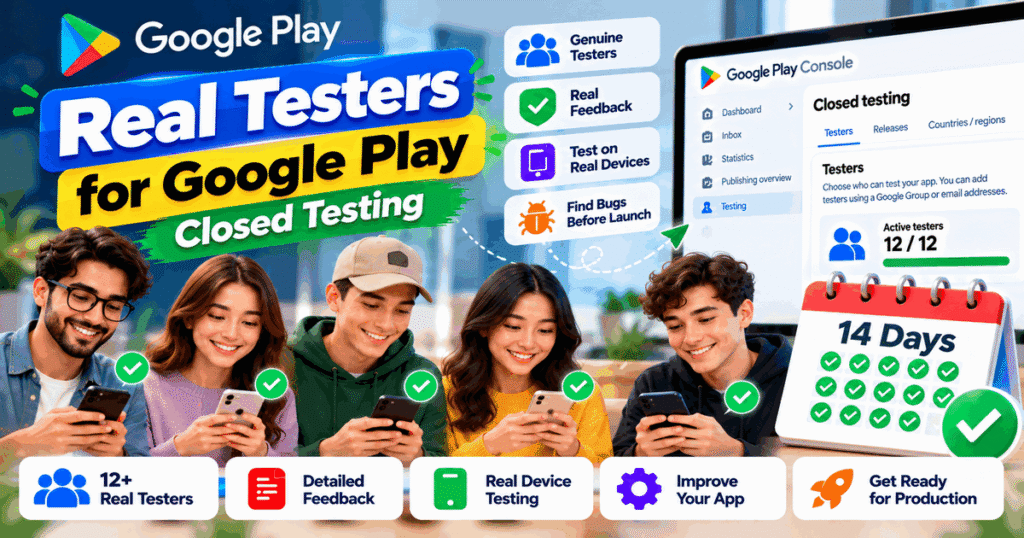
Are you looking for real testers for Google Play closed testing to help you prepare your Android app for release? Finding suitable testers can be challenging, especially if you are a new developer without an existing user community.
Real testers can help you discover bugs, evaluate app usability, test important features, and collect feedback before your app becomes publicly available. For eligible new personal Google Play developer accounts, genuine testing is also an important part of meeting Google’s production access requirements.
In this guide, you will learn what real testers do, how to find suitable participants, how Google Play closed testing works, and what to consider when choosing a testing service.
What Are Real Testers for Google Play Closed Testing?
Real testers are people who participate in testing an app before its public release. They install or access the test version, explore relevant features, and provide honest feedback based on their experience.
Unlike participants who simply join a test without exploring the app, engaged testers help developers understand how the app performs in practical situations.
Depending on the app, real testers may evaluate:
- App installation and first-time setup.
- Account registration and login.
- Navigation and user interface.
- Main features and user workflows.
- Performance and stability.
- Compatibility with different supported devices.
- Error messages and unexpected behavior.
- Overall usability and user experience.
For example, if you are developing a task management app, testers might create tasks, edit deadlines, mark tasks as complete, and report any problems they encounter.
The goal is not simply to gather a certain number of participants. It is to learn how people experience your app and identify improvements before launch.
Why Are Real Testers Important for Google Play Closed Testing?
Closed testing gives developers an opportunity to evaluate an app with a selected group of people before a wider release.
Here are some important benefits.
1. Identify bugs before launch
Developers may not notice every issue during their own testing. Independent participants can discover unexpected behavior, confusing error messages, and problems that occur under different conditions.
Finding these issues early gives you time to investigate and fix them.
2. Improve the user experience
A feature that seems straightforward to its developer may be confusing to a new user.
Testers can explain where they become confused, which screens need improvement, and whether important features are easy to find.
3. Check important app features
Testers can explore the main workflows and report whether the app behaves as expected.
For example, they might test registration, search, notifications, profile updates, or other features relevant to your application.
4. Collect useful feedback
Feedback helps you prioritize improvements based on actual observations rather than assumptions.
Google Play supports private feedback from users participating in open and closed tests. Developers can also provide a separate feedback channel, such as email, a website, or a messaging forum.
5. Prepare for production access
For eligible personal developer accounts created after November 13, 2023, Google requires a qualifying closed test before developers can apply for production access.
The testing requirement and the production access review are separate steps. Genuine participation helps developers evaluate their app, but no tester or third-party service can guarantee Google’s approval.
Official reference: Google Play app testing requirements.
Google Play’s 12 Testers for 14 Days Requirement
One of the most frequently discussed topics among new Android developers is the 12 testers and 14 days requirement.
According to Google’s official guidance, eligible personal developer accounts created after November 13, 2023, must complete a closed test with at least 12 testers continuously opted in for at least 14 days before applying for production access.
The main requirements are:
- Minimum tester count: At least 12 testers.
- Continuous opt-in: The required testers must remain opted in throughout the qualifying period.
- Testing duration: At least 14 consecutive days.
- Production access: After meeting the requirement, the developer can apply through Google Play Console.
If a tester opts out and later opts back in, the interrupted period does not count as continuous participation for that tester.
Meeting the minimum requirement does not guarantee approval. Google reviews the production access application, and additional testing may be required.
Important: The 12-testers requirement does not apply universally to every developer account. Check your account type and the requirements displayed in your Play Console.
What Should Real Testers Do During Closed Testing?
Real testing should involve activities relevant to your app’s purpose and intended audience by 12TesterPro
Follow the testing instructions
Give testers clear instructions explaining how to access the app, which features to explore, and how to report problems.
Avoid asking participants to perform tasks that are unrelated to the app or to provide feedback they have not actually experienced.
Explore the app’s main features
Encourage testers to use the app naturally and evaluate important workflows.
For example:
- A shopping app tester can explore product search, filtering, and the checkout flow where available.
- A productivity app tester can create, edit, and organize tasks.
- An educational app tester can explore lessons, quizzes, and progress tracking.
- A media app tester can test playback, navigation, and supported settings.
The exact activities should reflect the app’s functionality.
Report bugs and usability problems
Ask testers to describe problems clearly. Helpful reports may include the affected feature, the steps leading to the problem, the expected behavior, and what actually happened.
Screenshots or screen recordings may be useful when appropriate and when they do not expose sensitive information.
Provide honest feedback
Testers should share their genuine experiences, including positive observations and problems.
Developers should not ask participants to invent feedback or claim to have tested features they never used.
Remain opted in when required
If your account is subject to the 12-testers requirement, explain that testers need to remain opted in continuously for at least 14 days.
Joining the test is not the same as completing the continuous opt-in requirement.
Google’s guidance also recommends encouraging testers to explore app features and report bugs through a clear feedback channel.
Official reference: Testing requirements and tester engagement guidance.
How to Find Real Testers for Google Play Closed Testing
There are several ways to recruit suitable testers for an Android app.
1. Ask people in your existing network
Friends, colleagues, classmates, and professional contacts may be willing to test your app if it is relevant to them.
Explain what the app does, what you would like them to evaluate, and how much participation is expected.
Choose participants who can offer useful observations rather than recruiting people solely to reach a number.
2. Build an app user community
If you already have an audience for your app, invite interested users to participate in the testing process.
People who understand the app’s purpose may provide especially relevant feedback.
Make it clear that the app is still in testing and that some features may change.
3. Connect with developer communities
Developer communities can help you meet other builders and people interested in testing new applications.
When sharing a testing request, explain the app’s purpose, supported devices, participation expectations, and feedback process.
Follow each community’s rules and avoid repeatedly posting unsolicited invitations.
4. Recruit people from your intended audience
A tester who resembles your future users may be better positioned to identify confusing workflows or missing features.
For example, if your app is designed for students, feedback from students may be more useful than feedback from people unfamiliar with the app’s purpose.
5. Consider a testing service
A testing service may help organize participants and coordinate the testing process, depending on its package.
Before choosing a provider, review the actual service scope, communication arrangements, feedback process, and pricing.
Do not assume that every provider offers the same level of participation or support.
How to Set Up a Closed Test in Google Play Console
If you are new to Play Console, follow these general steps to organize your closed test.
Step 1: Prepare your app
Check the app’s main functionality, resolve known critical bugs, and ensure that the app is ready for participants to use.
Review the app’s permissions, privacy information, login process, and relevant policy requirements.
Step 2: Create a closed testing release
Sign in to Google Play Console, select your app, and open the closed testing section under the testing and release area.
Configure the testing track and prepare your test release according to the instructions in Play Console.
Step 3: Choose how to manage testers
Google Play supports tester access through email lists and Google Groups.
Choose the method that fits your testing plan and configure the eligible participants.
Step 4: Publish the test and share the link
Publish the testing release and share the correct opt-in instructions with participants.
Google notes that an opt-in link becomes available when the app’s status is Published, not while it is in Draft or Pending publication status. After the first test is published, the link may take several hours to become available.
For tests using a Google Group, participants must join the group before opting into the test.
Step 5: Provide a feedback channel
Set up a suitable channel where testers can report problems and share observations.
You can use email, a website, a messaging forum, or supported private feedback features in Google Play.
Step 6: Monitor the test and review feedback
Monitor tester participation where relevant, review incoming reports, and address important problems.
If your account has the 12-testers requirement, make sure the required number of testers remains continuously opted in for the qualifying period.
Step 7: Apply for production access
Once the applicable requirements are met, open the production access application in Play Console when it becomes available.
Answer Google’s questions honestly using your actual testing experience. Explain what you learned, what changes you made, and how you determined whether the app was ready for production.
Google may request additional testing before granting access.
For detailed instructions, visit the official Google Play testing setup guide.
Real Testers vs. Testers Who Only Opt In
Understanding the difference can help you choose a better testing approach.
| Real, engaged testing | Participation without meaningful testing |
|---|---|
| Explores relevant app features | Joins without exploring the app |
| Reports genuine issues | Provides little or no useful feedback |
| Follows the testing instructions | May misunderstand the testing process |
| Helps identify usability problems | Provides limited insight into user experience |
| Supports informed app improvements | Offers little information for improvement |
This comparison does not mean every tester must discover a bug. A tester can provide valuable feedback even when the app works as expected.
What matters is that participants genuinely engage with the test and provide honest observations.
How to Choose a Real Testers Service for Google Play
If you do not have enough suitable participants, a testing service may be worth considering.
Before paying for a service, evaluate the following factors.
Clear service details
The provider should explain what is included, how tester coordination works, and what responsibilities remain with you.
Genuine testing activity
Ask how participants are instructed to explore the app and how feedback is collected.
Communication and support
Check how the provider handles questions, installation problems, and communication during the testing period.
Transparent pricing
Review the price, duration, included features, and any additional charges before placing an order.
Honest expectations
Avoid providers that promise guaranteed production access, instant approval, or ways to bypass Google Play requirements.
Account security
Keep control of your Play Console account. Do not share your password or other sensitive login information unnecessarily.
A reliable provider should help you organize testing without asking you to misrepresent your testing activity.
Real Testers for Google Play Closed Testing by TesterPilot
If you need help organizing your app’s closed testing process, you can explore the available services through TesterPilot.
Visit TesterPilot.com to review the current service details and determine whether the available support fits your app’s needs.
Before choosing a package, confirm:
- What tester coordination is included.
- How participants receive testing instructions.
- Whether feedback collection is included.
- What communication is available during the testing period.
- What the provider’s terms and limitations are.
TesterPilot can be a starting point for exploring closed testing support. As the app developer, you remain responsible for app quality, accurate testing records, policy compliance, and the production access application.
The goal should be a well-organized testing process that helps you understand your app’s strengths and weaknesses—not simply a completed checklist.
Frequently Asked Questions
1. Where can I find real testers for Google Play closed testing?
You can recruit suitable participants through your existing network, relevant developer communities, your app’s audience, or a testing service. Choose people who can genuinely explore your app and provide useful feedback.
2. How many testers do I need for Google Play closed testing?
Eligible personal developer accounts created after November 13, 2023, must have at least 12 testers continuously opted into a closed test for at least 14 days before applying for production access.
3. Do real testers need to use my app every day?
Google’s published requirement specifies continuous opt-in for at least 14 days, and its guidance recommends meaningful engagement and feedback. Do not confuse the continuous opt-in requirement with a universal rule that every tester must perform a prescribed daily activity. Follow the current instructions in Play Console and encourage genuine testing throughout the period.
4. Does having 12 testers guarantee production access?
No. Meeting the minimum testing requirement allows eligible developers to apply for production access. Google reviews the application and may require additional testing.
5. Can I use a testing service instead of recruiting testers myself?
A service may help coordinate participants and manage parts of the workflow. Review the provider’s terms and confirm what is included. A third-party service cannot guarantee Google’s approval.
6. What should I ask testers to check?
Ask testers to explore important app features, follow common user workflows, identify problems, and provide honest feedback. Focus on activities that reflect the app’s intended purpose and audience.
7. What happens if a tester opts out during the 14-day period?
That tester’s continuous opt-in period is interrupted. If they opt back in later, a new consecutive period is needed for that tester to satisfy the requirement.
8. Can testers leave public reviews during a closed test?
Google Play does not allow testers to leave public reviews for test versions. You can provide another feedback channel, and testers can use supported private feedback features.
9. How do I know if a testing service is trustworthy?
Look for transparent pricing, a clear service description, reasonable communication, genuine testing practices, and independent reviews where available. Avoid guaranteed approval claims and requests for unnecessary account credentials.
Final Thoughts
Finding real testers for Google Play closed testing is an important part of preparing an Android app for release. Suitable testers can help you identify bugs, understand the user experience, and make improvements before your app reaches a wider audience.
Start with a stable app, provide clear testing instructions, recruit participants who match your intended audience, and give them a reliable way to share feedback.
If your account is subject to Google’s 12-testers and 14-day requirement, monitor continuous opt-in and prepare your production access application using accurate information.
If you need additional help organizing the testing workflow, visit TesterPilot.com to explore the available options.
Focus on genuine participation and useful feedback. The purpose of closed testing is to help you build a better app, not simply to complete a requirement.